



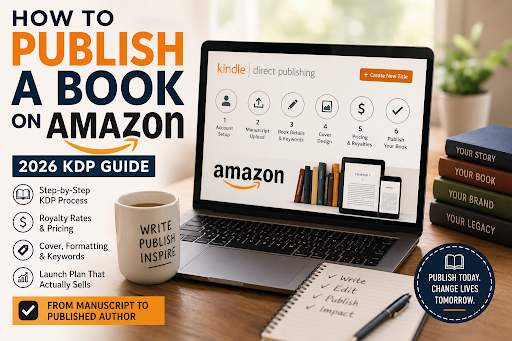
You've written a book, or you're about to. Now comes the question every new author eventually types into Google: how do I actually get this thing published?
Ten years ago, the answer involved literary agents, query letters, and months of rejection emails. In 2026, the answer fits in one word: Amazon. Through Kindle Direct Publishing (KDP), anyone can upload a manuscript today and have it for sale worldwide within 72 hours as an ebook, a print-on-demand paperback, or a hardcover without paying a single upfront publishing fee.
This guide walks you through exactly how to publish a book on Amazon: preparing your manuscript, setting up KDP, choosing the right royalty plan (this is where most beginners lose money), and launching so your book actually gets found. Whether you're writing fiction, a nonfiction guide, or a low-content journal, everything you need is below.
What this guide covers:
• Why Barnes & Noble Amazon KDP beats traditional publishing for most authors
• The pre-publishing checklist (editing, covers, metadata, ISBN)
• The exact 6-step publishing process
• 2026 royalty rates, pricing tables, and the KDP Select decision
• A post-launch playbook: reviews, ads, and promotions
• The 7 mistakes that kill first books
• FAQs
Before the steps, it helps to understand why Amazon KDP has become the default home for independent authors and how it compares to the alternatives.
| Amazon KDP | Traditional Publishing | Vanity Press | |
|---|---|---|---|
| Upfront cost | $0 (you fund editing/cover) | $0 | $2,000–$10,000+ |
| Ebook royalty | Up to 70% | ~25% of net | Varies, often low |
| Print royalty | 50–60% minus print cost | 10–15% of the list | Varies |
| Time to market | 24–72 hours | 12–24 months | Weeks–months |
| Rights ownership | You keep 100% | Publisher licenses them | Often murky |
| Gatekeeping | None | Agent + acquisitions | None (that's the trap) |
Amazon dominates book sales. Amazon controls the majority of US ebook sales and a massive share of print. If your book isn't on Amazon, it's invisible to most readers.
You keep control and higher royalties. Traditional publishers typically pay 10–15% on print and take a year or more to release a book. On KDP, you can earn up to 70% on Kindle ebooks and up to 60% (minus printing costs) on paperbacks and be live this week.
There are zero upfront publishing costs. KDP is free. Amazon's print-on-demand model means paperbacks are printed only when a customer orders one, no inventory, no warehouse, no 500 unsold copies in your garage.
You own your rights. Unlike vanity presses, KDP never takes your copyright. You can unpublish, update, or sell your book elsewhere anytime (unless you opt into KDP Select ebook exclusivity covered below).
If you've been researching how to self publish a book, Amazon KDP is almost always the right starting point and for many authors, the only platform they ever need.
Don't open a KDP account yet. Authors who succeed on Amazon treat publishing as the last step, not the first. Here's what to have ready with realistic 2026 budgets.
Reader reviews make or break books on Amazon, and nothing earns 1-star reviews faster than typos and plot holes. At minimum:
• Self-editing pass: Read your manuscript aloud, or run it through ProWritingAid or Grammarly.
• Beta readers: 3–5 people in your target audience who give honest feedback.
• Professional editing (strongly recommended): A copyedit typically runs $0.01–$0.03 per word. For a 60,000-word novel, budget $600–$1,800.
Your cover is your most important marketing asset. On Amazon, readers first see it as a thumbnail smaller than a postage stamp; it must be legible and genre-appropriate at that size.
| Cover option | Cost | Best For |
|---|---|---|
| DIY (Canva, Book Brush) | $0–$15/mo | Low-content books, journals |
| Premade cover | $50–$200 | Tight budgets, common genres |
| Custom design | $300–$800 | Fiction series, competitive niches |
Before you commission anything, study the top 20 bestsellers in your exact category. If every thriller cover is dark with bold typography and yours is pastel with script font, readers will scroll right past it.
Amazon is a search engine before it's a bookstore. Your metadata title, subtitle, description, backend keywords, and categories determine whether readers ever find you.
• 7 backend keywords: Research what readers actually type using Publisher Rocket, or mine Amazon's own search autocomplete for free.
• Categories: You can select up to 3. Smaller niche categories are easier to rank in and easier to earn the orange "#1 Best Seller" badge that lifts conversion.
• Description: Write sales copy, not a plot summary. Hook in the first line, that's all that shows above the "Read more" fold.
For ebooks, you don't need an ISBN. Amazon assigns a free ASIN. For paperbacks, Amazon offers a free ISBN, but it lists "Independently published" and can only be used on Amazon. If you plan to distribute to bookstores, libraries, or other retailers later, buy your own from Bowker (US) or your country's ISBN agency.
Here is the exact process to self publish on Amazon through Kindle Direct Publishing. Total hands-on time for a prepared author: about 2–3 hours.
Go to kdp.amazon.com and sign in with your existing Amazon account or create one. Complete the three required sections before you can publish:
1. Author/publisher information — your name and address (pen names are entered later, per book)
2. Payment details — the bank account for royalty deposits; Amazon pays monthly, roughly 60 days after the end of the month in which sales occur
3. Tax interview — a short digital questionnaire; non-US authors can usually claim tax-treaty benefits to reduce US withholding
Format your ebook as an EPUB and your paperback as a print-ready PDF. The free tools:
• Ebook: Kindle Create (Amazon's free tool) handles most novels and simple nonfiction. Atticus (~$147 one-time) and Vellum (Mac, $249) are the leading paid options and format ebook + print together.
• Paperback: Export a PDF at your chosen trim size 6"×9" is the most common with correct margins and gutter. Page count directly drives your printing cost, so a tight layout literally pays.
Always run Amazon's previewer before publishing. Broken chapter breaks, widows, and orphaned lines are the most common formatting complaints in reviews.
In the KDP dashboard, click "+ Create", choose Kindle eBook, Paperback, or Hardcover, then enter your title, subtitle, author name, description, 7 keywords, and up to 3 categories.
Two 2026-specific notes:
• AI disclosure: KDP requires you to declare whether AI-generated content (text, images, translations) was used in creating your book. Answering misrepresentations honestly is grounds for account termination.
• Use description formatting: Bold headers and short paragraphs in your description measurably improve conversion versus a wall of text.
Upload the interior file first, then the cover. For paperbacks, use KDP's Cover Calculator to generate a template with the exact spine width for your final page count. Run the online previewer and fix anything it flags: text inside margins, low-resolution images, and missing bleed.
Set your ebook price between $2.99 and $9.99 to qualify for Amazon's 70% royalty rate; outside that range, you earn 35%. This step is where first-time authors leave the most money on the table, so here are the 2026 numbers in full.
| List Price | Royalty Rate | Notes |
|---|---|---|
| $0.99–$2.98 | 35% | No delivery fee |
| $2.99–$9.99 | 70% | Minus $0.15/MB delivery fee compresses your images |
| $10.00+ | 35% | Rarely optimal for indies |
Worked example: a $4.99 ebook at 70% with a small file earns ≈ $3.44 per sale. Sweet spot for most indie novels: $3.99–$5.99; nonfiction often supports $7.99–$9.99.
Paperback royalties (2026): Amazon moved to a tiered print structure in mid-2025; many older guides still show the flat 60% and will mislead you.
| List price (US) | Royalty Rate | Formula |
|---|---|---|
| $9.99 and above | 60% | (60% × list price) − printing cost |
| Below $9.99 | 50% | (50% × list price) − printing cost |
Printing cost = fixed cost (~$0.85) + per-page cost (~$0.012/page for black & white). A 200-page B&W book costs about $3.25 to print, so a $14.99 paperback earns ≈ $5.59 per sale. Watch the threshold: pricing "just under" $9.99 can cost you over a dollar per unit compared with pricing just above it. Verify your exact numbers in KDP's official royalty calculator before you commit.
| KDP Select (in KU) | Wide (all retailers) | |
|---|---|---|
| Ebook exclusivity | Amazon-only, 90-day terms | None |
| Paid per | Pages read (~$0.004–$0.005/page) + sales | Sales only |
| Promo tools | Free days, Countdown Deals | Retailer-dependen |
| Best for | Genre fiction, series, binge-readers | Nonfiction, long-term platform independence |
A fully-read 300-page novel earns roughly $1.35 in KU page reads, which is why KU favors longer books and series with high completion rates. Rule of thumb: romance, thriller, and fantasy series usually thrive in Select; nonfiction and authors who want Apple Books, Kobo, and Google Play should go wide.
Click "Publish," and Amazon reviews your submission. Books typically go live within 24–72 hours. When the confirmation email arrives, open your live product page and check the "Look Inside" sample, price, and categories on both desktop and mobile.
Congratulations, you're a published author. But don't close the laptop, because publishing is only half the job.
Uploading a book to Amazon doesn't sell it. Well over a million titles are self-published every year visibility is earned. Here's the post-launch playbook, in priority order.
Set up your profile at author.amazon.com: bio, photo, and all your books linked. Then add A+ Content free enhanced visuals on your product page (comparison charts, review pull-quotes, branded imagery) that measurably lift conversion.
Reviews are Amazon's strongest trust signal. Build a small ARC (Advance Reader Copy) team before launch and ask for honest reviews in week one. Never buy reviews. Amazon's detection is aggressive, and violations can terminate your account and strand your catalog.
Launching at $0.99 for the first week, then raising to full price, drives early sales velocity that feeds Amazon's recommendation algorithm. KDP Select authors also get Free Book Promotions and Kindle Countdown Deals every 90-day term, schedule one for week two or three.
Amazon Ads (Sponsored Products) lets you bid on the exact keywords and competitor titles your readers already browse. Start at $5–$10/day across 20–50 highly relevant targets, review after two weeks, and cut anything that spends without converting. Ads are how most six-figure indie authors scale, but only once the product page converts.
Amazon owns the customer relationship; your list is the asset you own. Put a reader-magnet link (free novella, bonus chapter, checklist) in your front and back matter from day one.
1. Publishing without professional editing. Reviews mentioning typos suppress sales permanently.
2. A homemade cover in a competitive genre. Readers judge books by covers; that's the entire function of covers.
3. Choosing broad categories. "Fiction" is unwinnable; "Psychological Thrillers > Domestic" is winnable.
4. Pricing at $0.99 forever. It signals low quality and locks you at 35% royalty. Use it as a promotion, not a policy.
5. Pricing a paperback at $9.98. Two cents under the threshold drops you from 60% to 50% royalty — over a dollar per unit on a typical novel.
6. Skipping the paperback entirely. Print-on-demand costs nothing extra; many readers still prefer paper, and a print price anchors your ebook as a bargain.
7. Publishing one book and waiting. The most reliable growth lever in self-publishing is the next book.
The mechanics of publishing on Amazon are genuinely the easy part a prepared author can go from finished manuscript to live product page in an afternoon. The difference between books that disappear and books that earn is everything around the upload: a genre-true cover, sharp metadata, early reviews, and a real launch plan.
Your next step depends on where you are right now:
• Still writing? Set a finish date and reverse-engineer a daily word count.
• Manuscript done? Book your editor and cover designer this week. Good ones run 2–6 week waitlists.
• Assets ready? Open your free KDP account today, follow the six steps above, and put a launch date on the calendar within 30 days.
The best time to self publish on Amazon was five years ago. The second-best is before another year of "someday" slips past. Your readers are already searching, make sure your book is there when they do.
Reach Out to Us for Further Assistance.
Publishing on Amazon KDP is free. Your real costs are pre-production: editing ($600–$1,800 for a typical novel), cover design ($50–$800), and optional formatting software. Most authors can publish a professional book for under $1,000; low-content publishers spend far less.
Self-published ebook authors typically earn $2–$7 per sale, and paperback authors roughly $2–$6 after printing costs. A $4.99 ebook at the 70% royalty earns about $3.44 per sale; a $14.99, 200-page paperback earns about $5.59. Income scales with catalog size and marketing, not luck.
Usually, 24–72 hours after you click publish, for both ebooks and paperbacks. Updates to an already-live book typically process within the same window.
No. Ebooks receive a free Amazon ASIN, and Amazon provides a free ISBN for paperbacks. Buy your own ISBN only if you plan to distribute the same edition to bookstores or other retailers.
No. Individuals can publish under their own name or a pen name. Many authors form an LLC later, once income becomes significant, that's a question for a local tax professional.
Yes, unless your ebook is enrolled in KDP Select, which requires 90-day Amazon exclusivity for the ebook only. Print books are never exclusive, on any plan.
No. You retain full copyright and can update, reprice, or unpublish your book at any time.
Recent Posts
Use the form below to contact us regarding your ghostwriting concerns. Please be as detailed as possible. You may also email or call us for more information.